
Apr 132008
Every once in a while I get asked how I space my brads so straight and even. My secret: The right tool!
I always use my paper piercing mat that comes in the Mat Pack Stampin’ Up! sells. For brads in one row, I use the paper piercing holes that are further apart and use pierce second hole.
Here is what I do for my photo corners. You know I like to add brads on those!
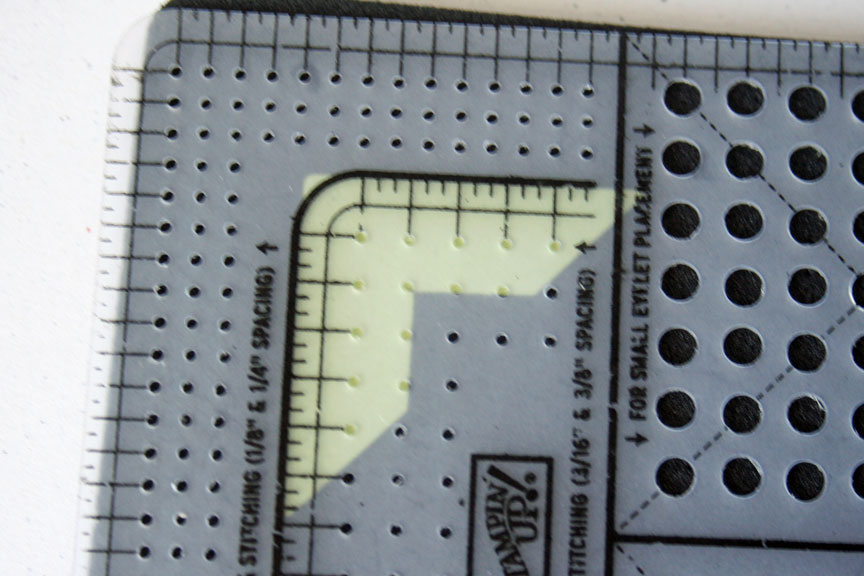
Step one:
Line up the corner guidelines for the wider spaced paper piercing holes with your photo corner.
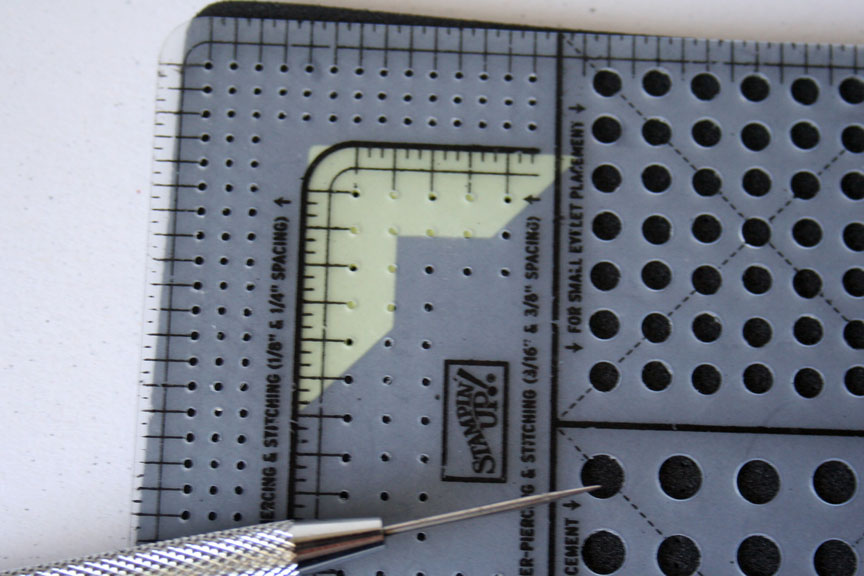
Step two:
Pierce the hole in the corner, then the third and, if wanted, the fifth hole to the left and downwards.
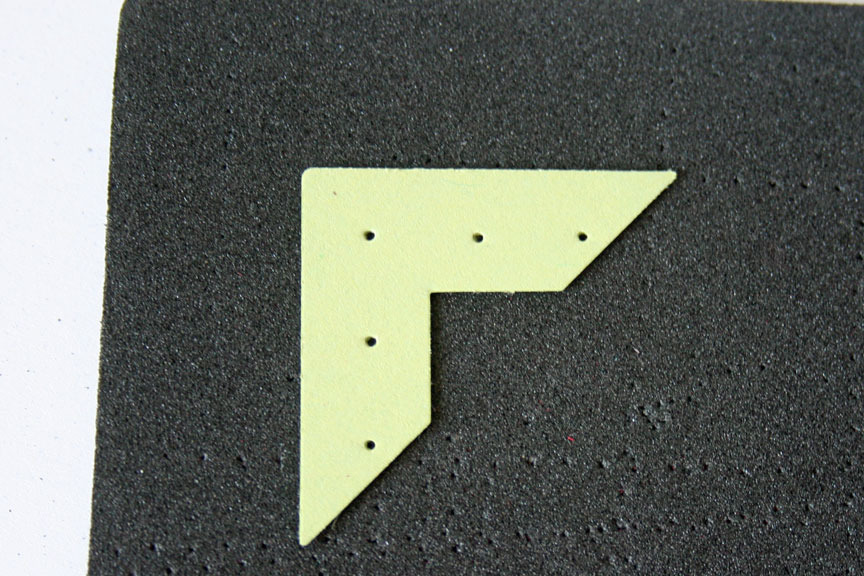
Step three:
Add brads to your photo corner.
Hints:
- I always tape my photo corners on my project before adding the brads.
- When adding a smaller, second photo corner on top of the larger one, I often only use three brads.
More tutorials with this template:
Beate
 Stay at Home Mom of Three, Splitcoast Team Member and Copic and Spellbinders die Lover.
14 Responses to “Spacing Brads made easy”
Sorry, the comment form is closed at this time.










Were you reading my mind?! I was just using this tool the other day and wondering if I was using it right. Do you think maybe in you’re spare time (ha) you could post more about using it? Please!! or maybe a link to somewhere that gives more tips. Maybe I just missed something in my demo manuals? Anyhow..thanks for all your work and giving everyone inspiration and help.
Thanks for the How-To. 🙂 I have a Mat Pack coming so I can’t wait to play with all my new SU! stuff! 😀
You know…I use this paper piecer so much that I need a new cushy mat…but it never…NEVER…occurred to me to use it for this! duh! Genious, girlie! TFS and have a great night! 🙂
Great tutorial, kiddo !!! I’m so glad you posted the link to piercing on a curve….definately going to try that out !!!
I’ve been wanting on of these tools for a looooong time. Time to get one. Thanks for the tutorial.
Couldn’t live without my mat pack! 🙂 Thanks for sharing all of your amazing ideas and tutorial! 🙂
OK, have to say BRILLIANT! I use my mat pack all the time, but NEVER thought to use it on my corners. DUH!
Thanks for sharing! That’s a great and handy tool!
Wow, thanks for the great tutorial! I have never thought to use this tool for this purpose! DUH! HAHA 🙂
thank you for sharing this! uneven brads annoy me so this is so helpful! Now if only my mat pack would arrive!!
Could you clarify a bit on this bit “For brads in one row, I use the paper piercing holes that are further apart and use pierce second hole.”
Thanks!
FYI – a good stamping friend of mine shared her secret with me a few years ago.
She uses plastic canvas! I now just take a piece of plastic canvas and line it up on my card or paper. I just decide how many holes I want between the eyelets or brads and I mark them with a pencil through the plastic canvas. I then punch the holes with either a hole punch or a punch tool. Simple and inexpensive!
You’ve got to be kidding! That’s too easy. I’ve often wondered how you got those brads to fit just right. I love using brads especially since my CAD and I still don’t get a long 🙁 and have a hard time lining them up right. Now to go find mine. lol Thanks Beate.
mmmh….guess I need to organize that tool for myself…..grrr, its so difficult to get things over here….
THANKS so much for the tutorial/info!! Can’t wait to space my brads more easily!!